Apple Intelligence is Apple's umbrella name for a collection of AI features built into its operating systems and apps. It is not a single chatbot, and thinking of it as one will confuse you about what it does.
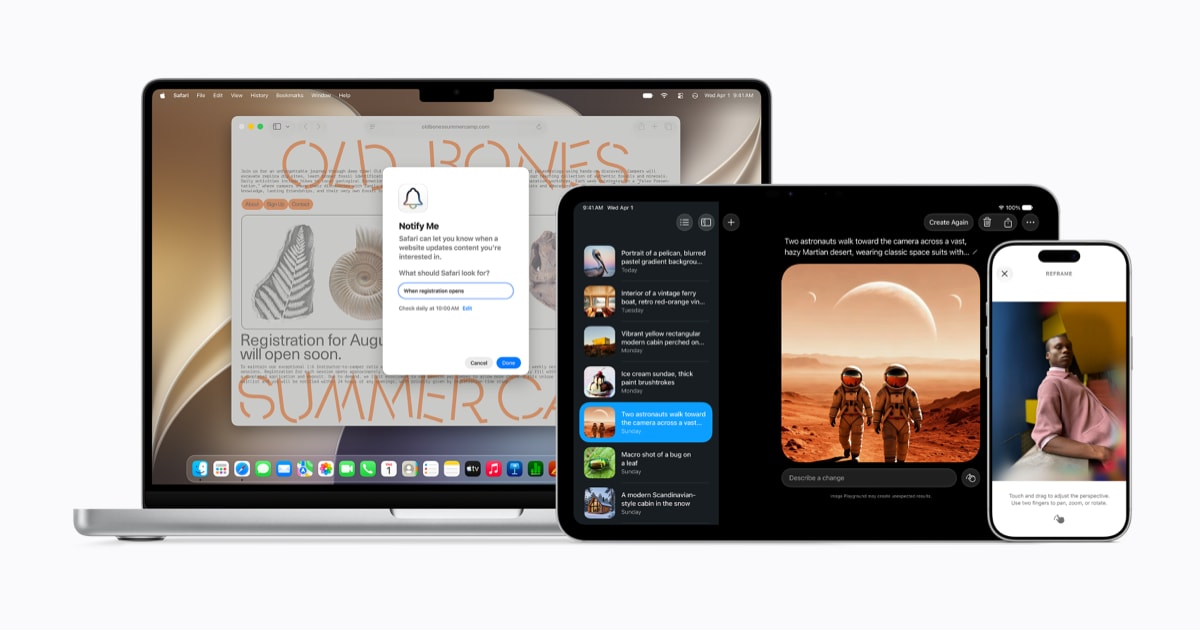
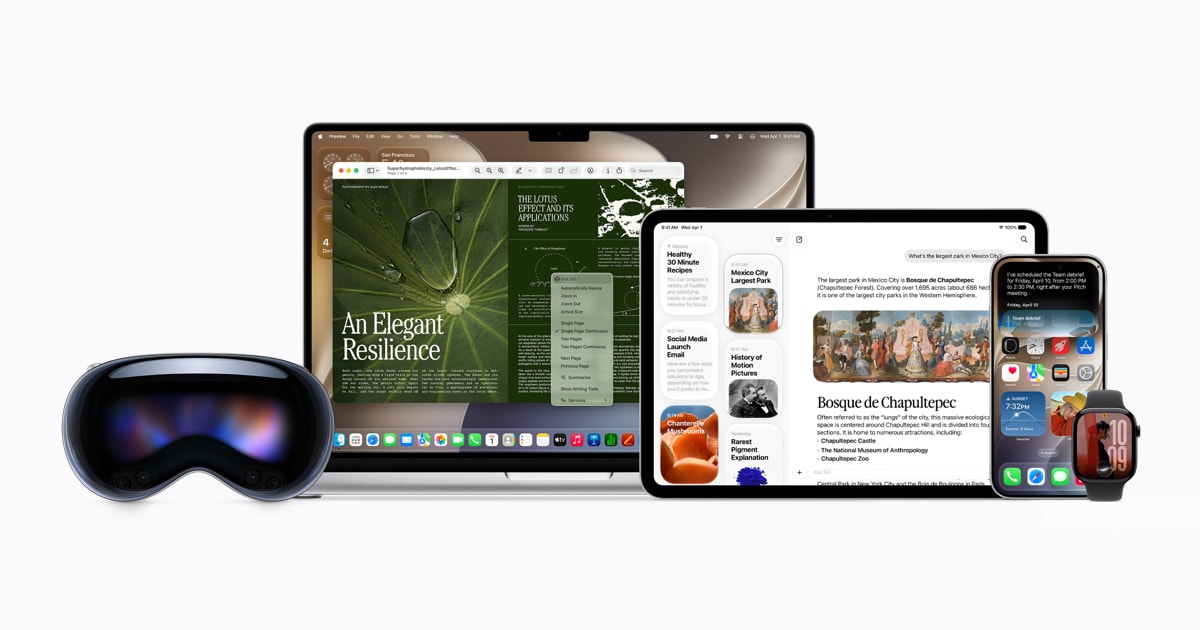
Instead, Apple is integrating AI into Siri, Photos, Safari, writing tools, image creation, shortcuts and other everyday experiences — meeting users inside the apps they already open rather than asking them to visit a separate AI destination.
🎁 Sponsored Blog Offer
Become a Samples Reviewer Now! (Capped)
Enter your information now to see if you qualify for this U.S. Android offer.
With iOS 27, Apple has also introduced Siri AI, a more capable version of Siri designed to understand personal context and perform actions across apps. Siri AI is the most visible part of the strategy, but it is one component of a larger system.
Apple Intelligence is a system, not one chatbot
The distinction matters because it explains nearly every decision Apple has made. A chatbot company optimizes for conversation quality. Apple optimizes for task completion inside an operating system it fully controls.
That means Apple Intelligence shows up as dozens of small capabilities rather than one big one: rewriting assistance where you type, photo cleanup where you browse pictures, visual lookup through the camera, smarter notifications, image generation in messages and shortcuts that chain actions together.
The trade-off is discoverability. A chatbot advertises itself every time you open it. System-level AI has to be found in context, which is why Apple leans so heavily on Siri AI as the front door — one assistant that can reach all the scattered capabilities.
What features it covers
The feature set spans writing assistance, image generation and editing, photo cleanup, visual intelligence, notification summaries and system-wide shortcuts.
Writing tools can adjust tone, summarize and proofread wherever text is entered. Image tools generate illustrations and clean up photos. Visual intelligence identifies objects, places and text through the camera.
None of these is individually unprecedented — rivals offer equivalents. The argument Apple makes is instead about composition: features that share the same privacy architecture, the same on-device models and the same assistant interface, rather than a grab bag of disconnected party tricks.
How Siri AI changes the assistant
Siri AI is the biggest visible change in Apple's AI direction, and the gap from old Siri is substantial enough to treat it as a new product wearing a familiar name.
Apple says the new Siri can understand personal context, work across apps and answer questions using broader world knowledge. On supported devices, Siri can search through information such as messages, emails and photos and then perform actions across apps based on what it finds.
That last part — actions, not just answers — is the real break from the past. Old Siri retrieved information. Siri AI is designed to do things: find the file, draft the message, set up the shortcut, complete the multi-step task.
Personal context is Apple's term for the assistant's ability to use your own information — messages, emails, photos, calendar, files — to understand requests that would be ambiguous to anyone else.
An example Apple gives: ask Siri to find something and it can search across those sources the way a human assistant with full access to your desk would. “When did Mom say she was landing?” becomes answerable without specifying which app holds the answer.
The power is obvious and so is the risk, which is why Apple ties this capability so tightly to its privacy architecture. Personal context is only acceptable to most users if they believe the context stays theirs — the subject of the privacy sections below.
Skeptics should note the boundary Apple itself draws: Siri AI works with information on your devices and in Apple's cloud systems, not with the open web the way a search-backed assistant does. Different strengths for different jobs.
On-device processing
Apple processes as much as possible directly on the device, using its own chips and Apple Foundation Models tuned for efficiency over raw scale.
The benefits are speed, offline availability and privacy: a request that never leaves your phone cannot leak, be logged remotely or train someone else's model. Simple writing help, photo edits and on-screen understanding typically stay local.
The limitation is physics. Phone chips, however advanced, cannot run the largest models. Apple therefore splits the work: routine tasks on-device, demanding tasks routed elsewhere — which is where Private Cloud Compute enters.
This split is also why device support is restricted to newer hardware. On-device AI needs the neural engines and memory bandwidth of recent chips, so older iPhones simply cannot run the local half of the system.
Private Cloud Compute
For requests too demanding for the device, Apple routes work to Private Cloud Compute — cloud servers running Apple silicon, designed so that user data is not stored or accessible to Apple when processed.
The architecture is the interesting part. Apple describes cryptographic guarantees that requests are processed without persistent storage and without Apple access, with the system open to independent verification. In plain terms: the cloud is treated as an untrusted extension of your phone rather than as Apple's computer that you borrow.
Apple also says some server-powered features have usage limits, which is worth knowing before you build a workflow around them. Heavy, repeated server-side requests may throttle or queue.
Whether this architecture satisfies skeptics long-term depends on verification holding up under scrutiny. Apple's design invites auditing in a way most cloud AI does not — which is either genuine confidence or a very expensive bluff, and time plus independent researchers will tell.
Supported devices and availability caveats
Apple's current support list includes newer iPhone, iPad, Mac, Apple Watch and Vision Pro hardware. The exact cutoff varies and has moved with software updates, so check Apple's current documentation for your specific device rather than trusting any article — including this one — as the final word.
The exact feature set varies by device, language and region. Some capabilities launch in U.S. English first and arrive elsewhere months later. Regulatory differences can also remove or alter features in specific markets.
Apple's health-related AI features, covered in our Apple Health AI guide, are a good example of region-sensitive rollout: powerful where available, absent where not.
Bottom line on availability: never assume a feature you read about works on your device, in your language, in your country. Verify before you depend on it.
Why Apple treats privacy as a product feature
Apple has made privacy one of the main selling points of Apple Intelligence, and unlike many marketing claims, this one has architectural substance behind it.
On-device processing keeps some requests entirely local. Private Cloud Compute is designed to extend that protection to server-side work. And Siri AI's personal-context features inherit both layers rather than bypassing them.
The approach is intended to make AI useful without treating personal information like ordinary cloud data — the default posture of most rival assistants, which improve by pooling user interactions centrally.
The honest limitation: privacy architecture protects against Apple and outsiders seeing your data, not against you granting access carelessly. An assistant with deep personal context is powerful precisely because it knows so much, which makes permission hygiene — what you connect, what you approve — the user's share of the bargain.
How Apple Intelligence differs from standalone chatbots
The deepest difference is the interface philosophy. A standalone chatbot wants to become the place you go for everything. Apple Intelligence wants to disappear into everything you already do.
Chatbots optimize for conversation: longer context windows, better reasoning, richer dialogue. Apple's system optimizes for action completion with minimal conversation: understand the request, gather context silently, do the thing, confirm briefly.
Each approach has a natural weakness. Chatbots struggle to act in your apps. System AI struggles with open-ended questions outside its integrations. Expect convergence over time, but the starting philosophies — chatbots optimizing for conversation, Apple optimizing for silent action completion — will shape both for years.
Where Apple's AI strategy is heading
The biggest shift is from AI as an app to AI as part of the operating system. If Siri can understand context, see what is on screen and perform actions across apps, the assistant stops being a feature and becomes the interface layer itself.
Watch three things to judge progress: third-party adoption across your banking, travel and work apps; reliability, since an assistant that acts must be right far more often than one that merely chats; and expansion across devices, languages and regions. The strategy is clear and ambitious — but Apple's rollout is still evolving, so the execution timeline is the open question.
Frequently asked questions
Q: What is Apple Intelligence? A: Apple's system-level collection of AI features built into its operating systems — writing tools, image features, Siri AI, on-device models and Private Cloud Compute — rather than a single chatbot.
Q: Is Apple Intelligence free? A: The features ship as part of Apple's operating systems on supported devices, with some server-powered capabilities subject to usage limits. There is no separate purchase, but you need recent hardware.
Q: Which iPhones support Apple Intelligence? A: Only newer models with the required neural engines and memory — the exact cutoff moves with software updates, so check Apple's current documentation for your device.
Q: What is Siri AI? A: The rebuilt, more capable Siri powered by Apple Intelligence: personal context awareness, cross-app actions and broader knowledge, replacing the old command-based assistant on supported devices.
Q: Is Apple Intelligence private? A: Architecturally more private than most rivals — on-device processing plus a cloud system designed to exclude Apple access — but permission hygiene on your side still matters.
Q: How is Apple Intelligence different from ChatGPT or Gemini? A: Those are primarily conversational destinations; Apple Intelligence is embedded assistance inside apps and the OS, optimized for completing tasks over chatting about them.